
You can create a banner to show important announcements on the top of your storefront.
How to create a banner
-
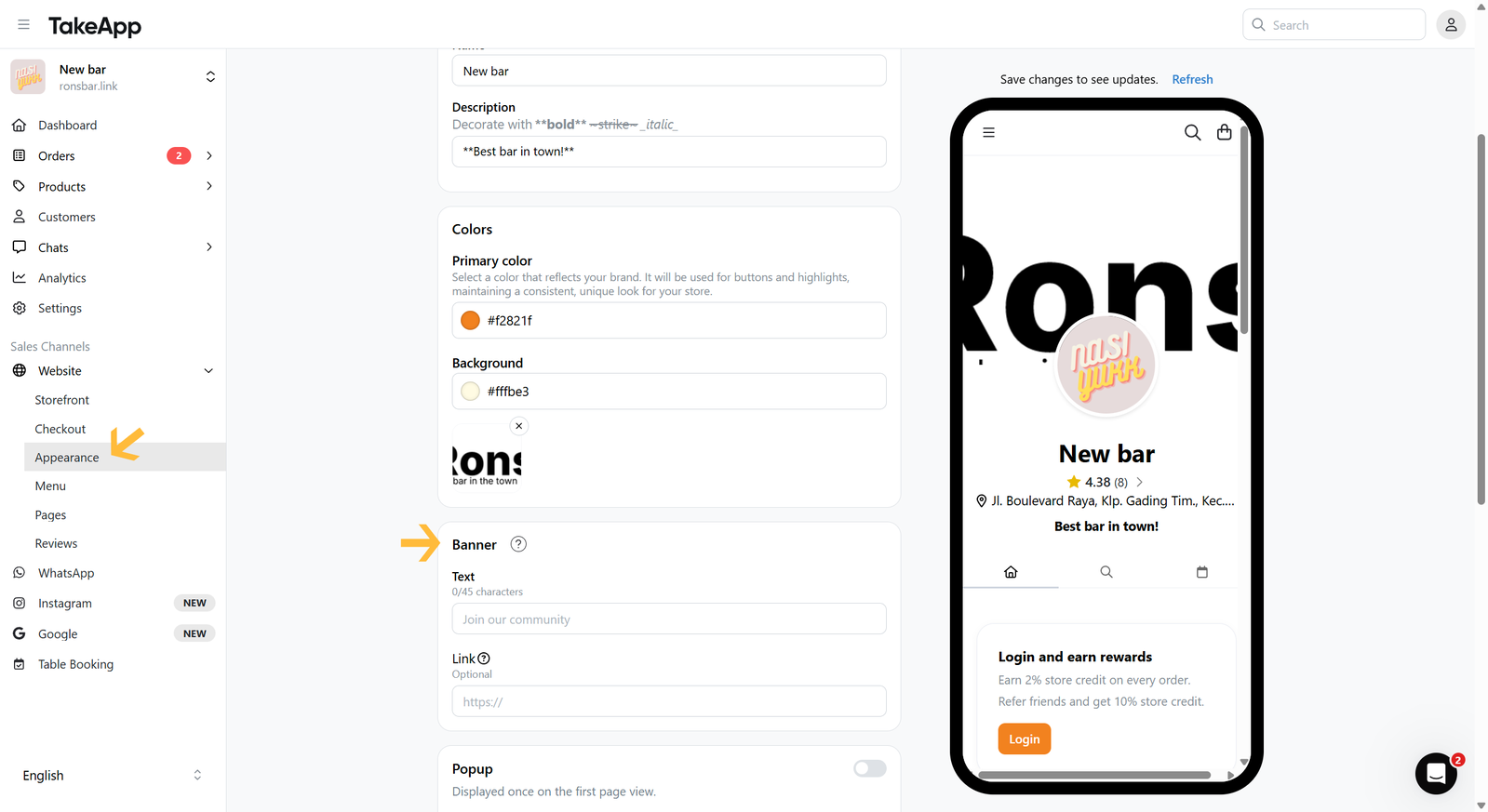
Go to Admin > Website > Appearance, then navigate to the "Banner" section
-
Fill in the Banner text and link (optional). Click
Save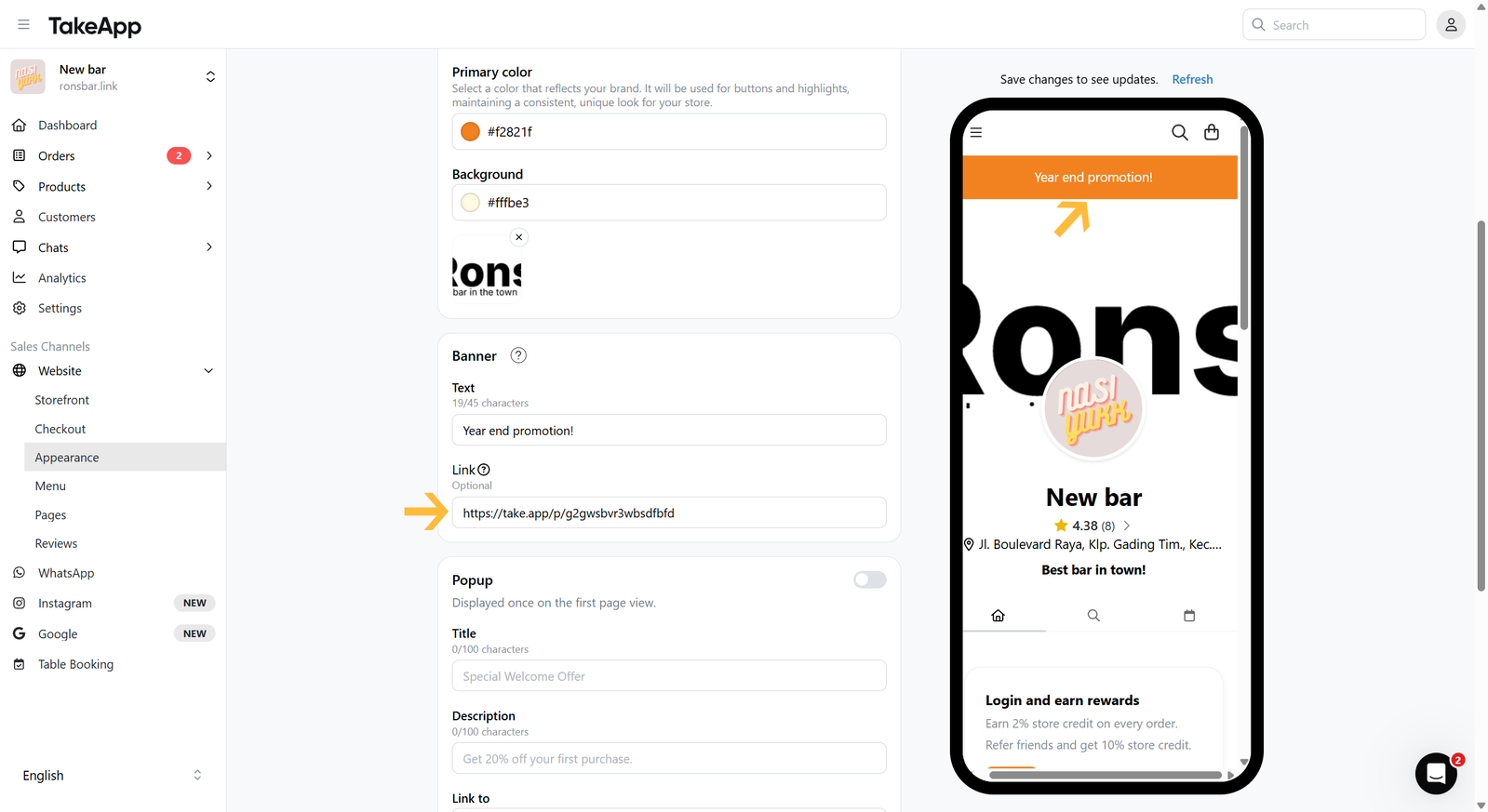
You can create a banner to show important announcements on the top of your storefront.
Go to Admin > Website > Appearance, then navigate to the "Banner" section
Fill in the Banner text and link (optional). Click Save
Chat with our team — we're online during business hours.