
You can set your delivery schedule's cut-off time and lead days.
How to set cut-off times and lead days
-
Go to Admin > Settings > Delivery > Select the delivery or pick-up option for which you wish to establish a cut-off time. If you haven't have one, click
Create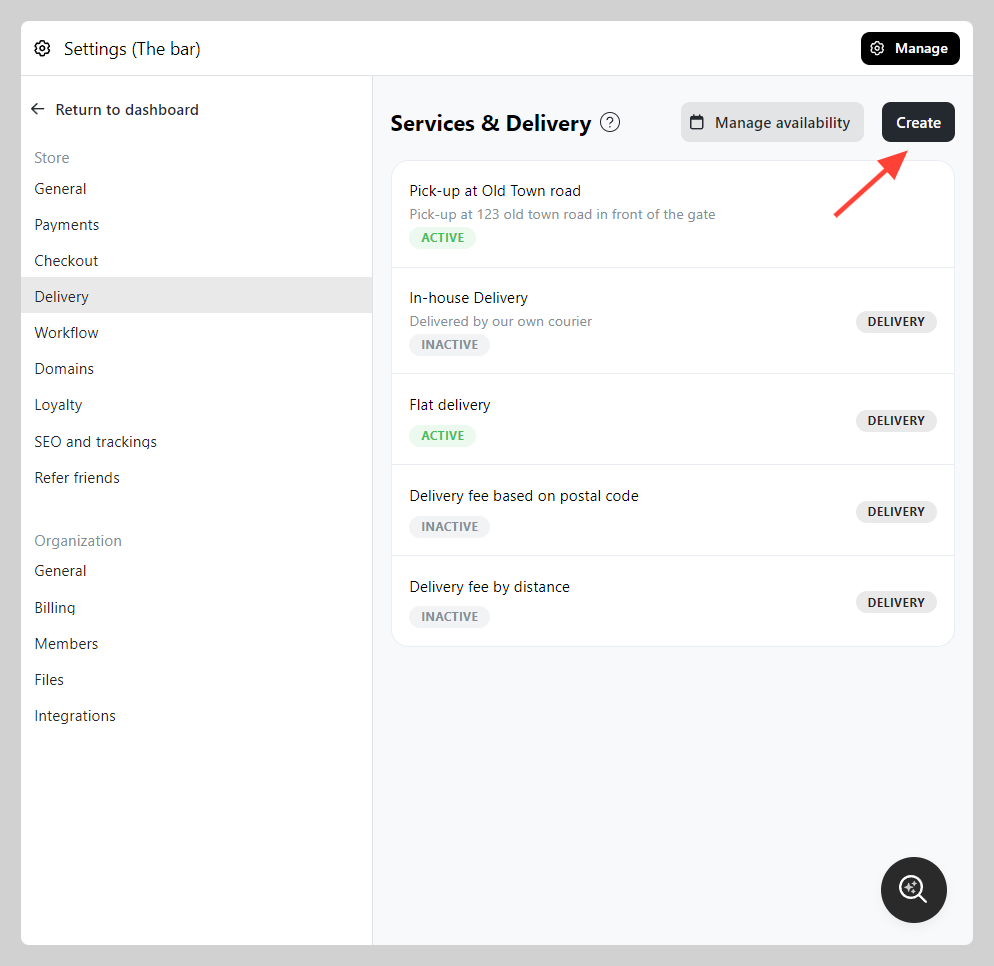
-
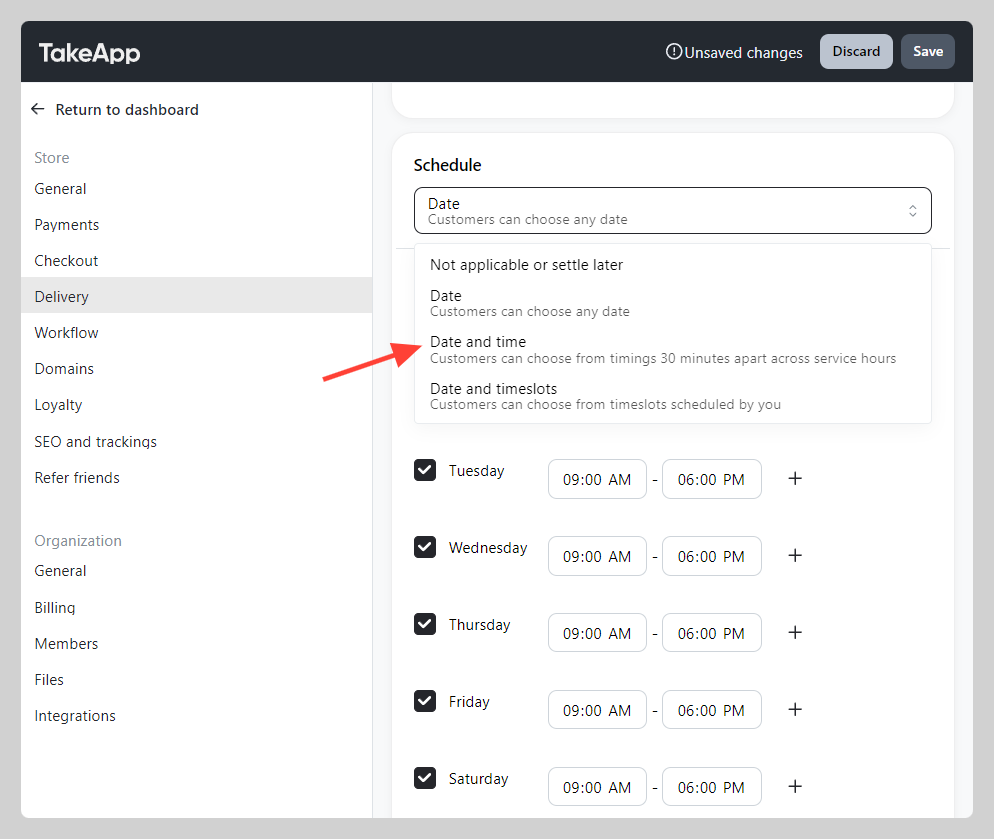
Navigate to "Schedule" at the bottom and set it to either "Date", "Date and time", or "Date and timeslots."
-
Then go further below and toggle cut-off time (e.g., fixed time of the day at 6 pm + minimum 1 lead day)
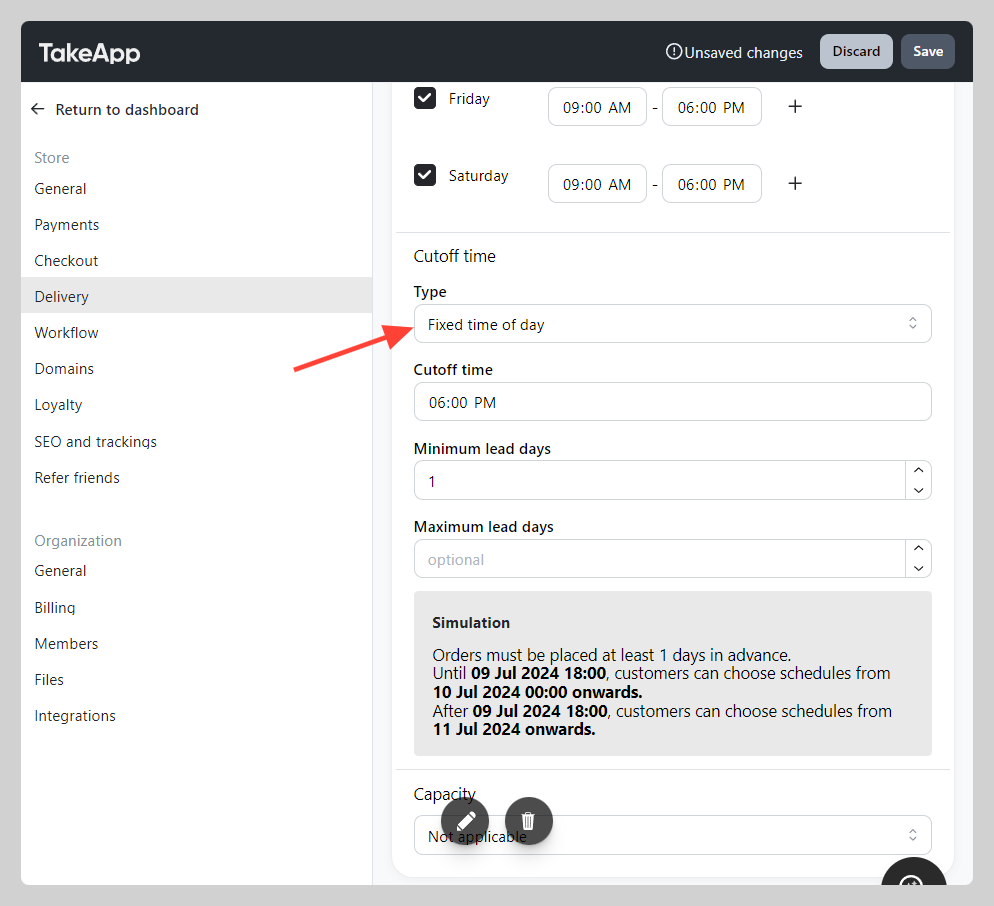
Please ensure you verify your cutoff time setting by reading the provided simulation.