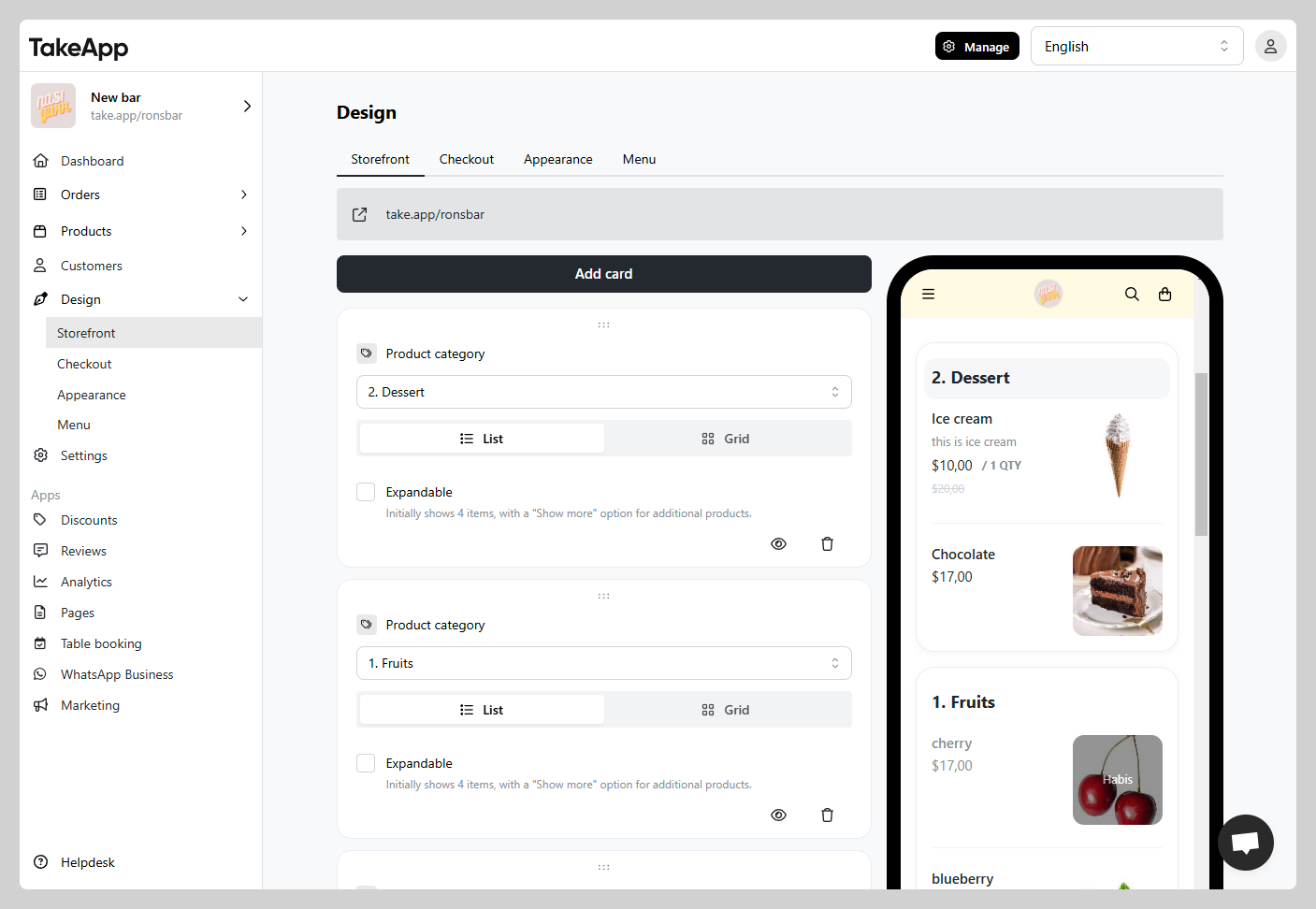
You can flexibly arrange your Product's category sequence on your Storefront.
How to rearrange category sequence
-
Go to Admin > Design > Storefront and find the `product category` card that you want to adjust.
-
Hold the
6 dot buttonon the top then drag & drop the card to the desired order/sequence.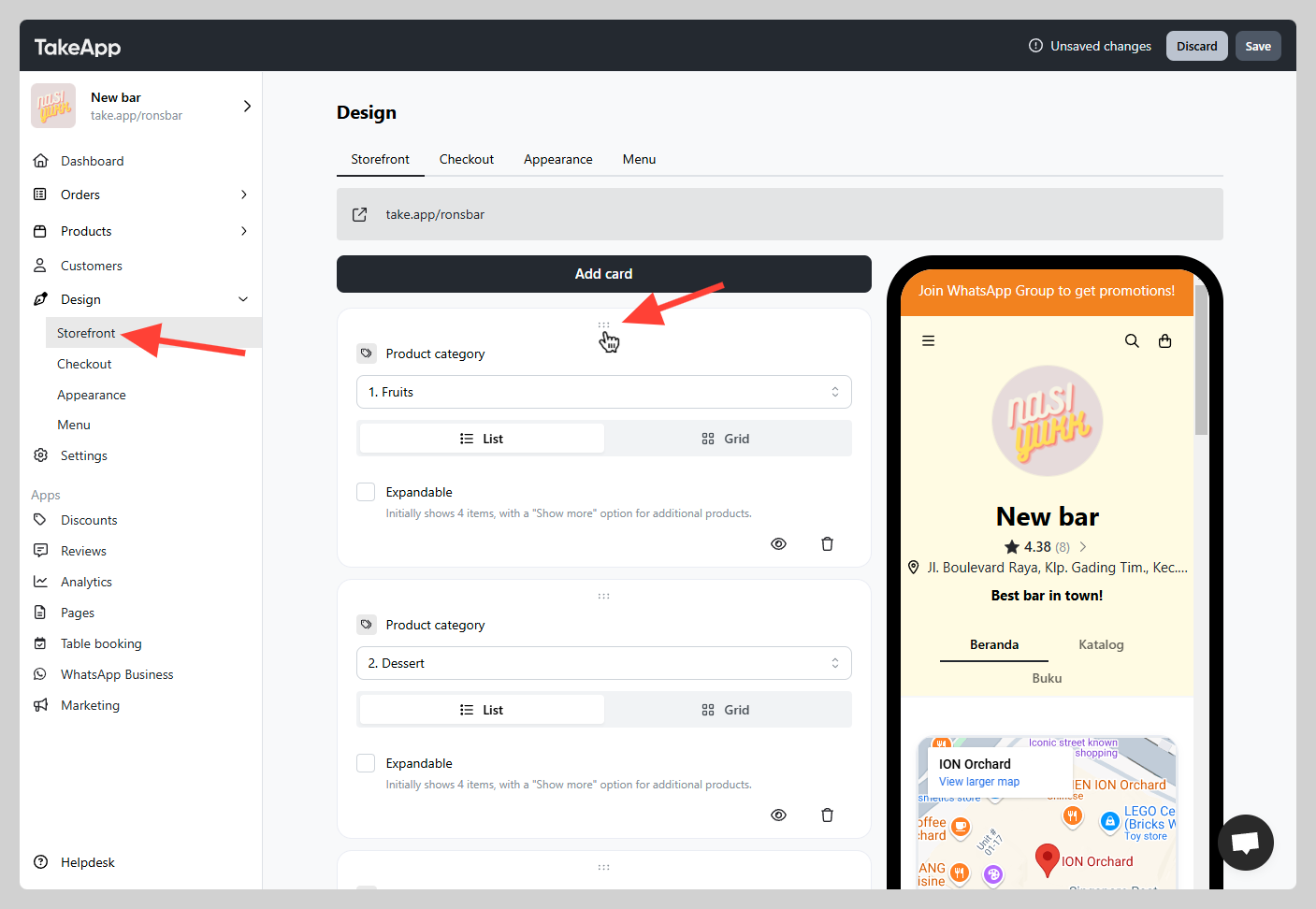
-
After all the changes, click the
Savebutton. Check if the category sequence have been adjusted accordingly on the preview.